

Our Block
Our Block is a mobile-first, grassroots neighborhood sharing platform that makes borrowing from neighbors feel safe, normal, and joyful. Instead of treating sharing as a transaction, the product frames it as a community ritual — one that reduces overconsumption while strengthening local social bonds. The project reimagines the sharing economy not as a marketplace, but as a social system of mutual care that happens to be mediated by technology.
The problem
Despite growing awareness of sustainability, most households continue to overconsume. People frequently buy tools and objects they only use once — drills, ladders, power washers, sewing machines, or gardening equipment — even when these items already exist within their neighborhood.
The goal
Make borrowing feel socially acceptable, not uncomfortable while making lending feel low-effort and rewarding. In addition, keep sharing primarily within small, trusted geographic circles and increase users’ sense of belonging to their neighborhood.
My role
My role in this project was end-to-end UX design: from problem framing and systems thinking to user journeys, interaction design, and high-fidelity UI for both the mobile app and supporting website.
User research
Through qualitative interviews and behavioral analysis, three core insights emerged:
People want to help, but dislike coordination overhead.
Neighbors are generally willing to lend items, they just don’t want complicated logistics.
Trust is built through proximity, not ratings.
People trust “the neighbor three streets away” more than an anonymous stranger with a five-star rating.
Sharing is emotional, not purely rational.
Borrowing often triggers feelings of vulnerability, embarrassment, or indebtedness. The design must address these emotions directly.
Pain points
Fear of misuse or loss of item
People who have tools to lend or that want to help their neighbours earh the misuse, damage or loss of the tools.
Akwardness asking strangers
Asking for favours or tools from people you dont know very well can be awkward and stressful, specially when the need is urgent.
Bothering neighbours
Bothering neighbours asking for veryspecific things without being sure they have them or not is burdensome to both the one in need and the ones asked.
Fear of damaging borrowed items
Breaking or damaging expensive items is stressful spceically if borrowed, leading to avoiding borrowing the items needed.
User personas
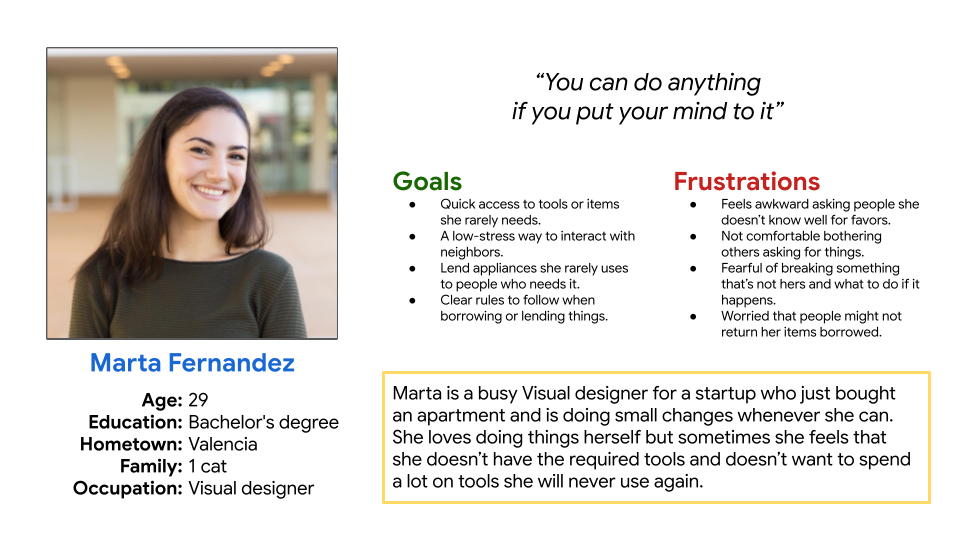
Persona: Marta Fernandez
Problem statement:
Marta is a busy visual designer who loves to do DIY projects around her new apartment whenever she is free but doesn’t have the budget to buy the expensive tools needed for a one time project.
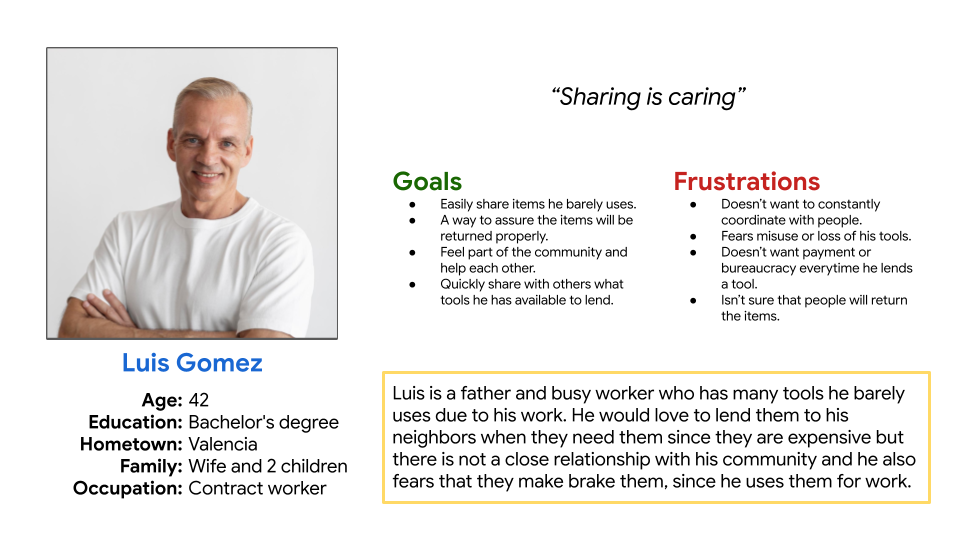
Persona: Luis Gomez
Problem statement:
Luis is an experienced contract worker who has many professional tools and would love to share them with people but he misses the close community where he lived when he was young since he doesn’t have much contact with his current neighbours.
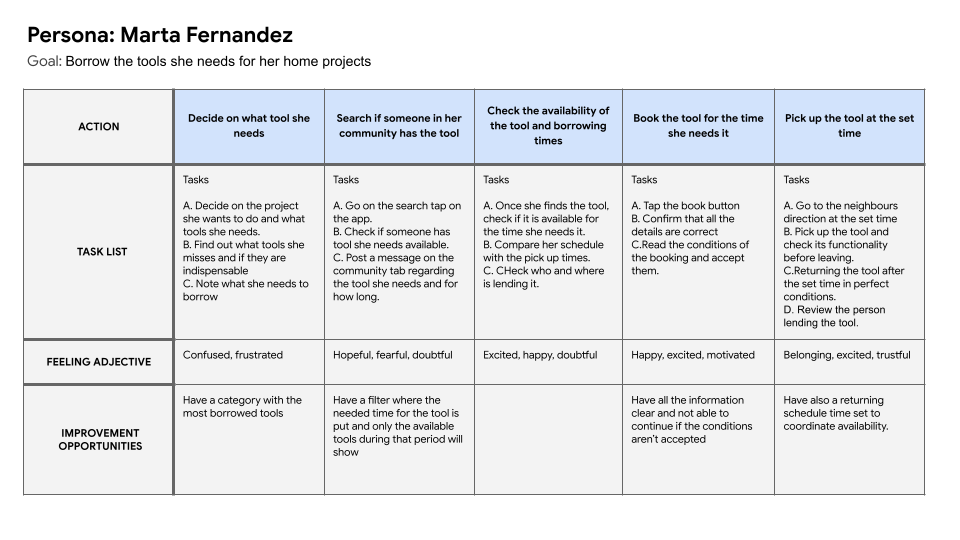
User journey map
In this user journey map the focus was to find all the challenges Marta faced when finding and acquiring the tools she needs for a small project from a neighbour.
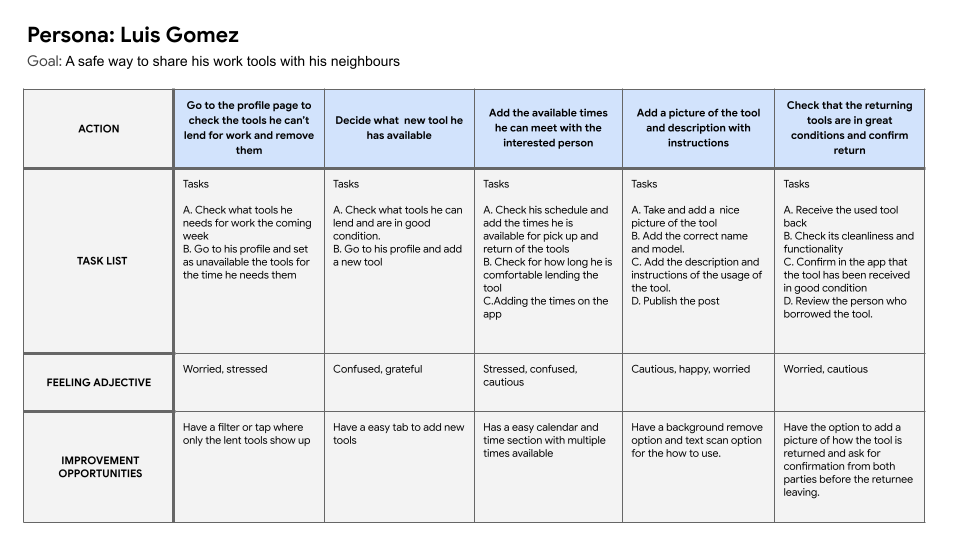
This user journey map focuses on the challenges Luis faces when lending his tools to a neighbour and making sure they are return in good conditions.
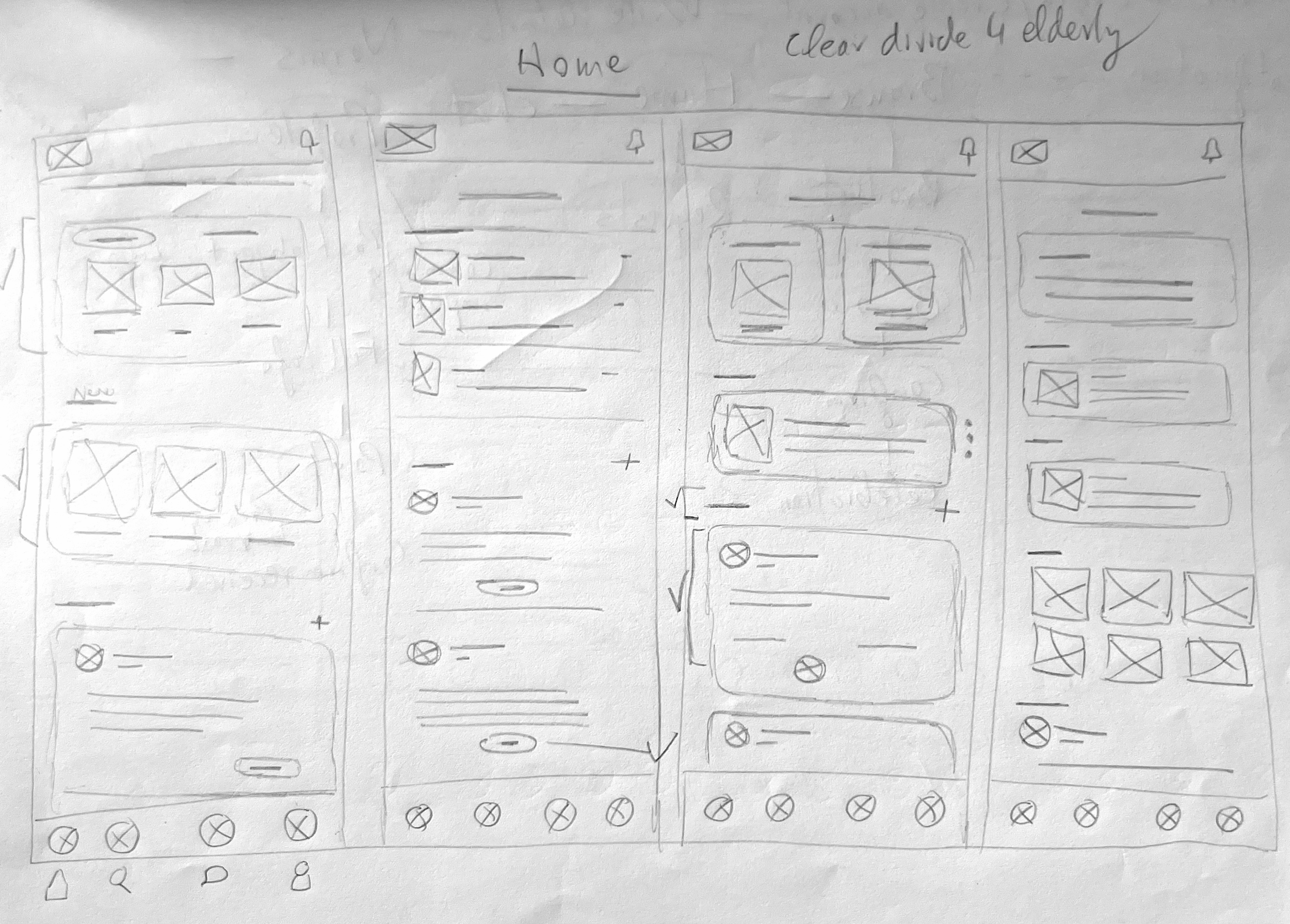
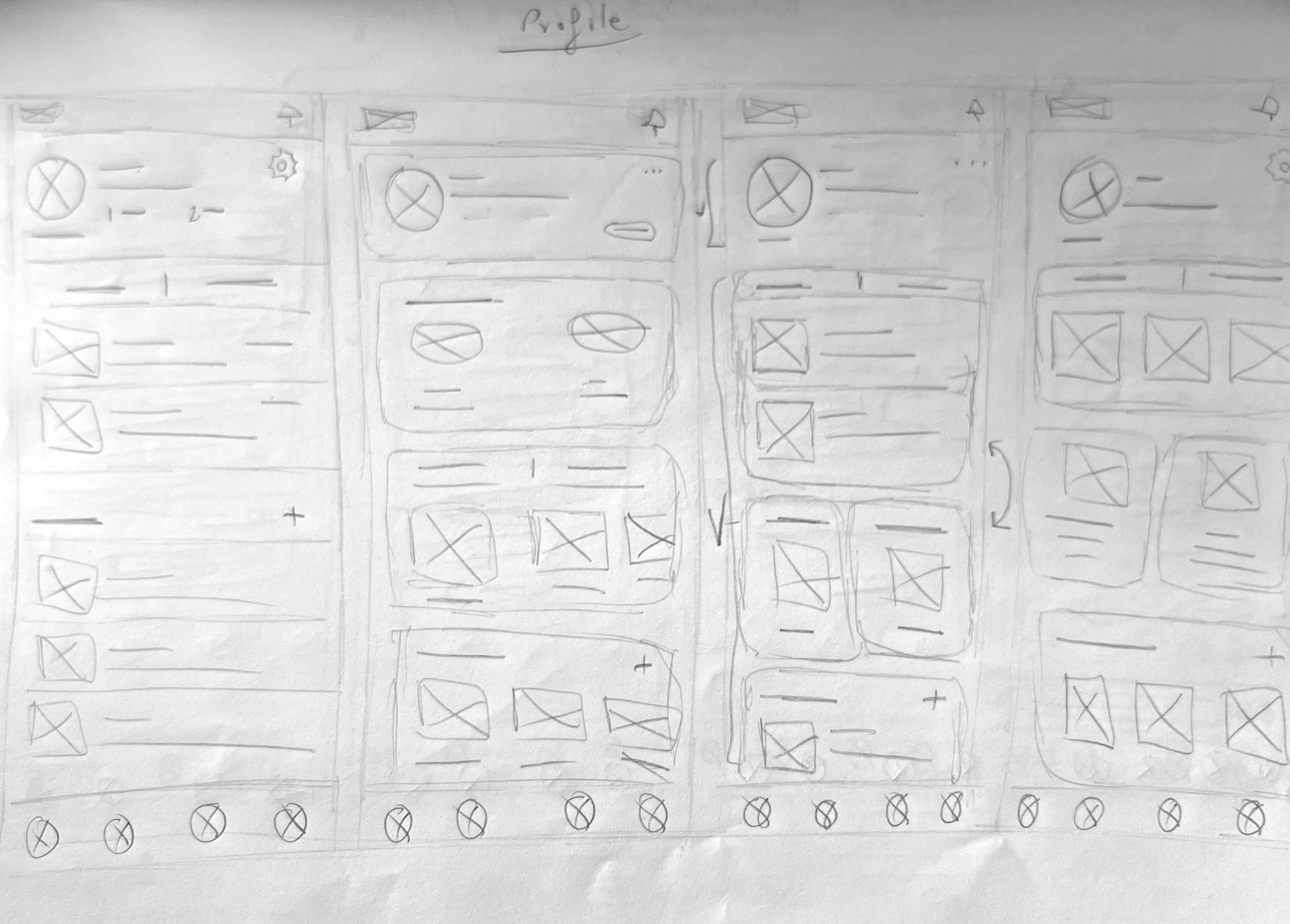
Paper wireframes
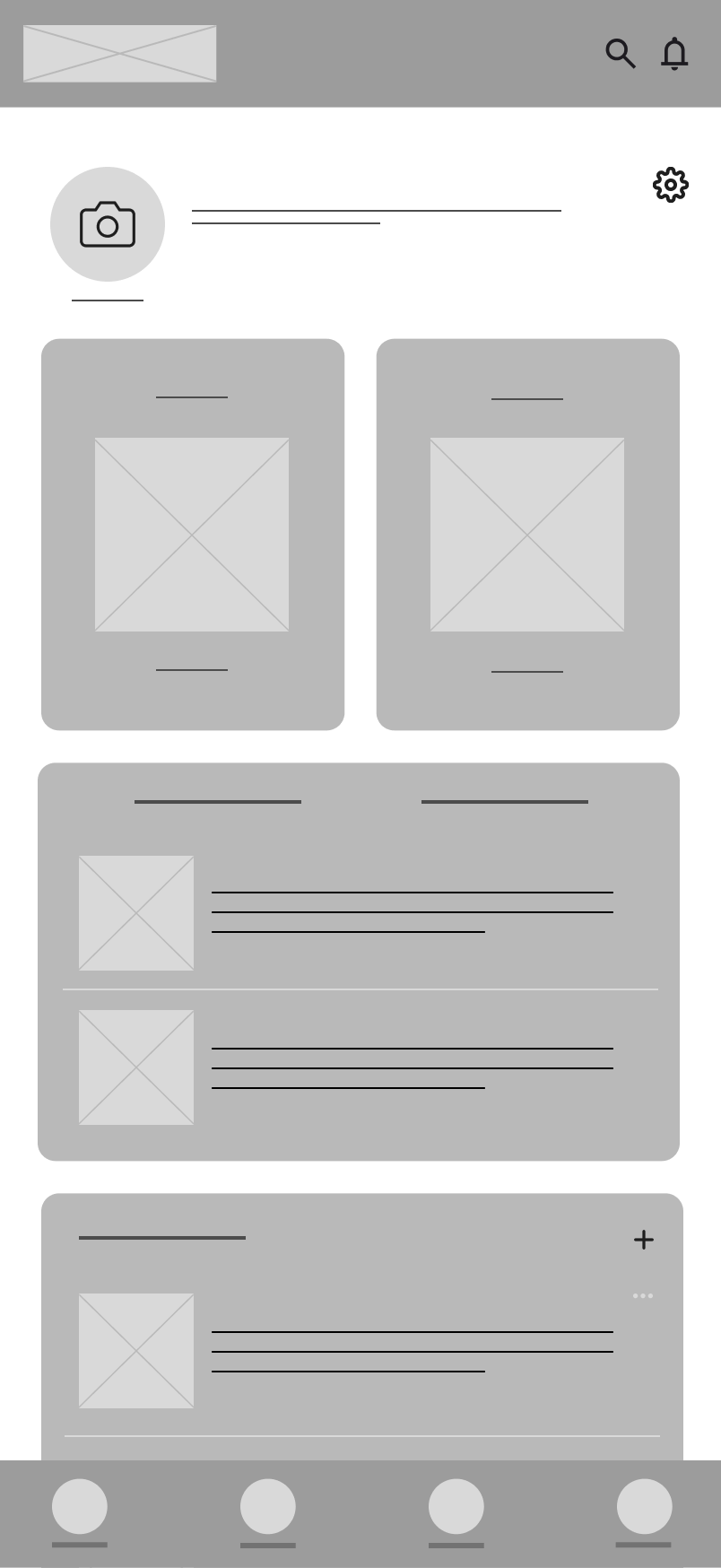
A first rough wiraframes were created to gather and test the indispensable functions and screens with users and make the necessary changes in the architecture of the app. The final layouts were digitalised into low quality wireframes.
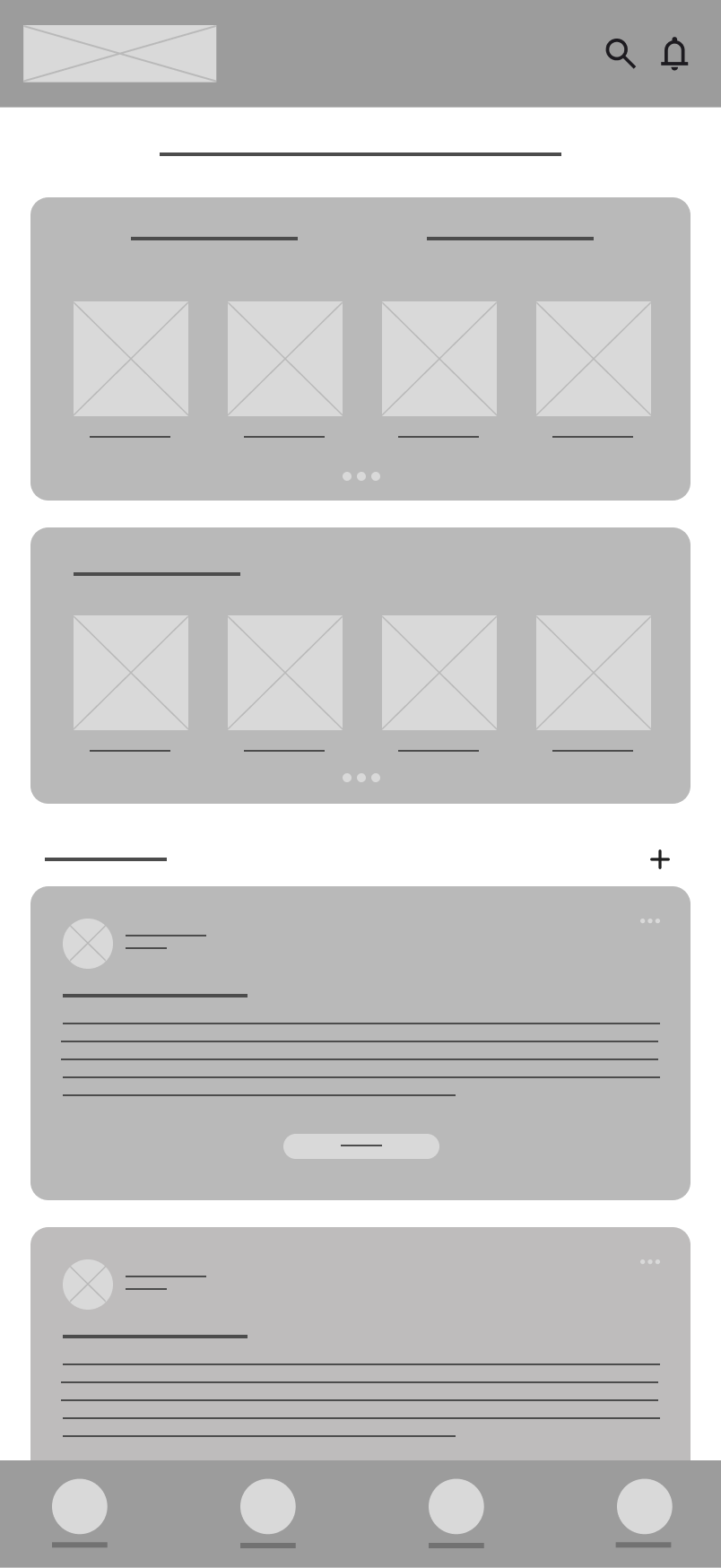
Digital wireframes
For the digital wireframes, the final aspect of the Interface was refined after a preliminary testing of the paper wireframes regarding usability flow and refined the new added functions.
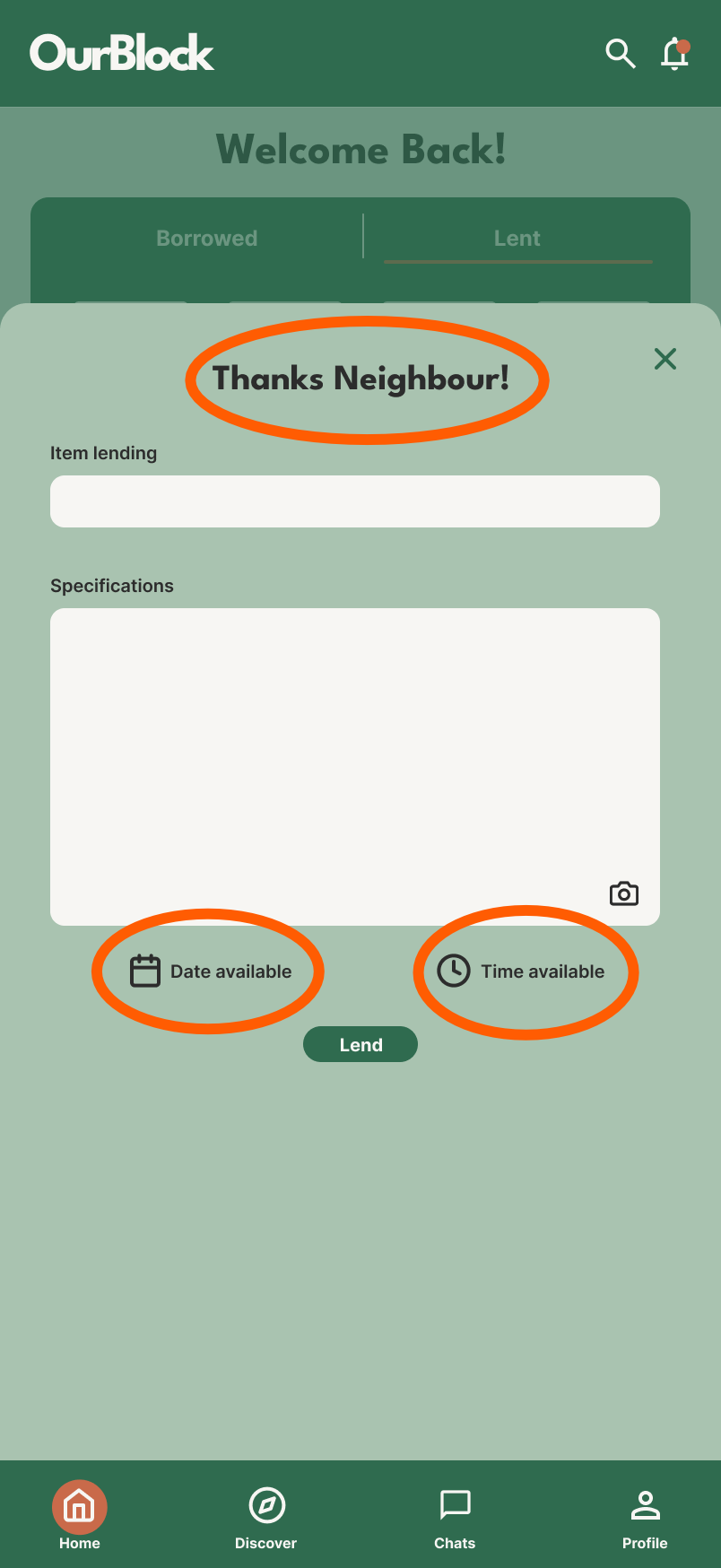
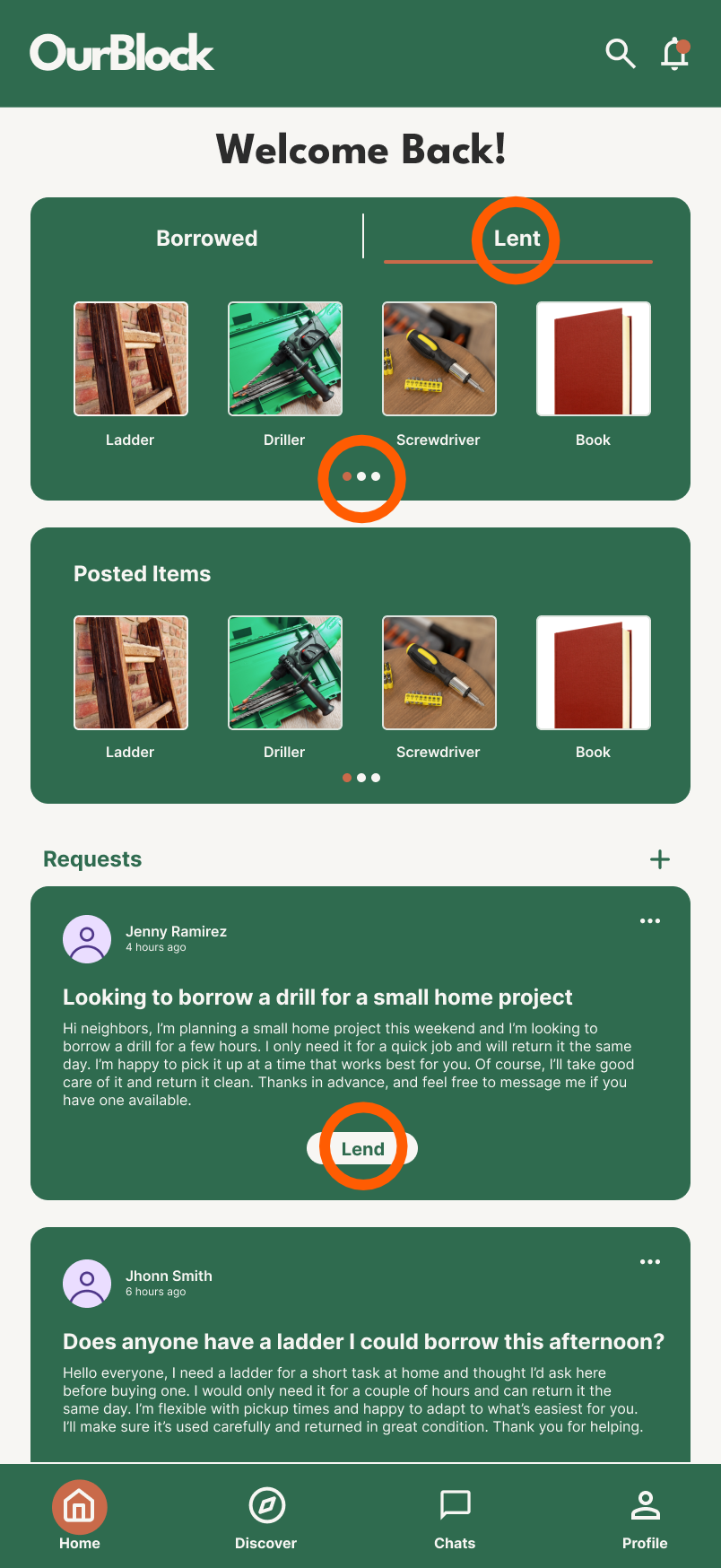
Functions
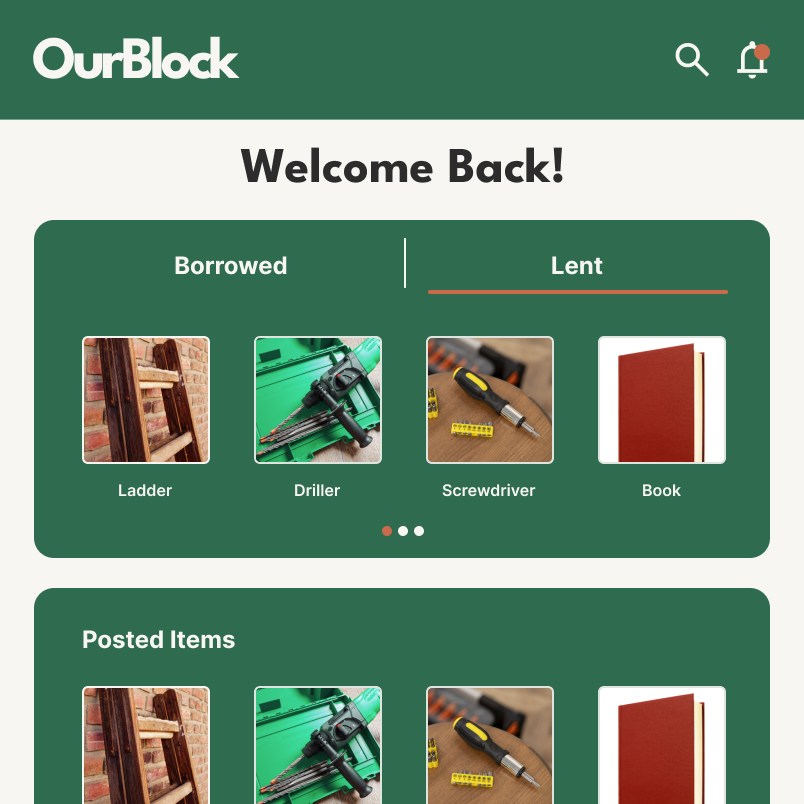
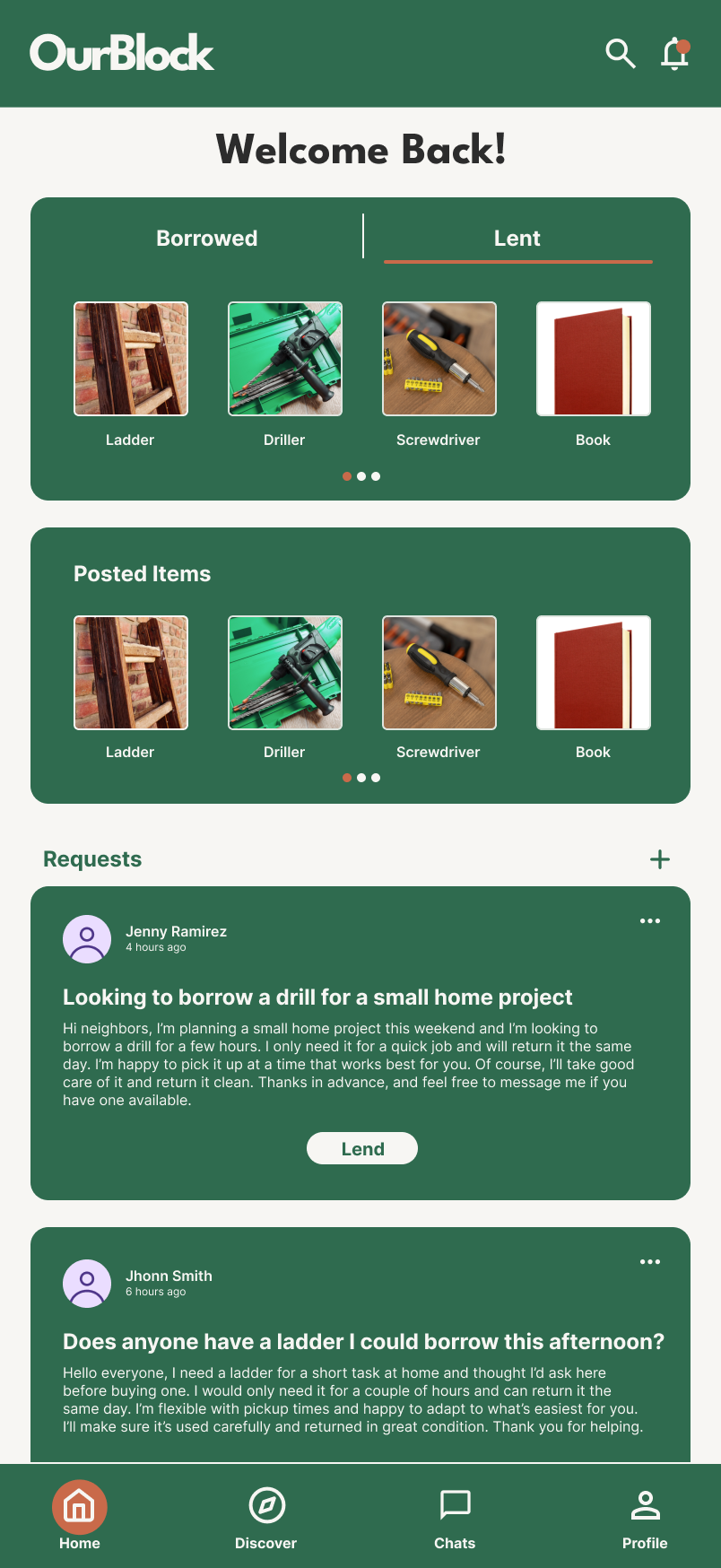
Borrowe and lent function letting users see easily what items they have borrowed and lent.
Several rows of items to see all the items by quickly swiping and not only fit four.
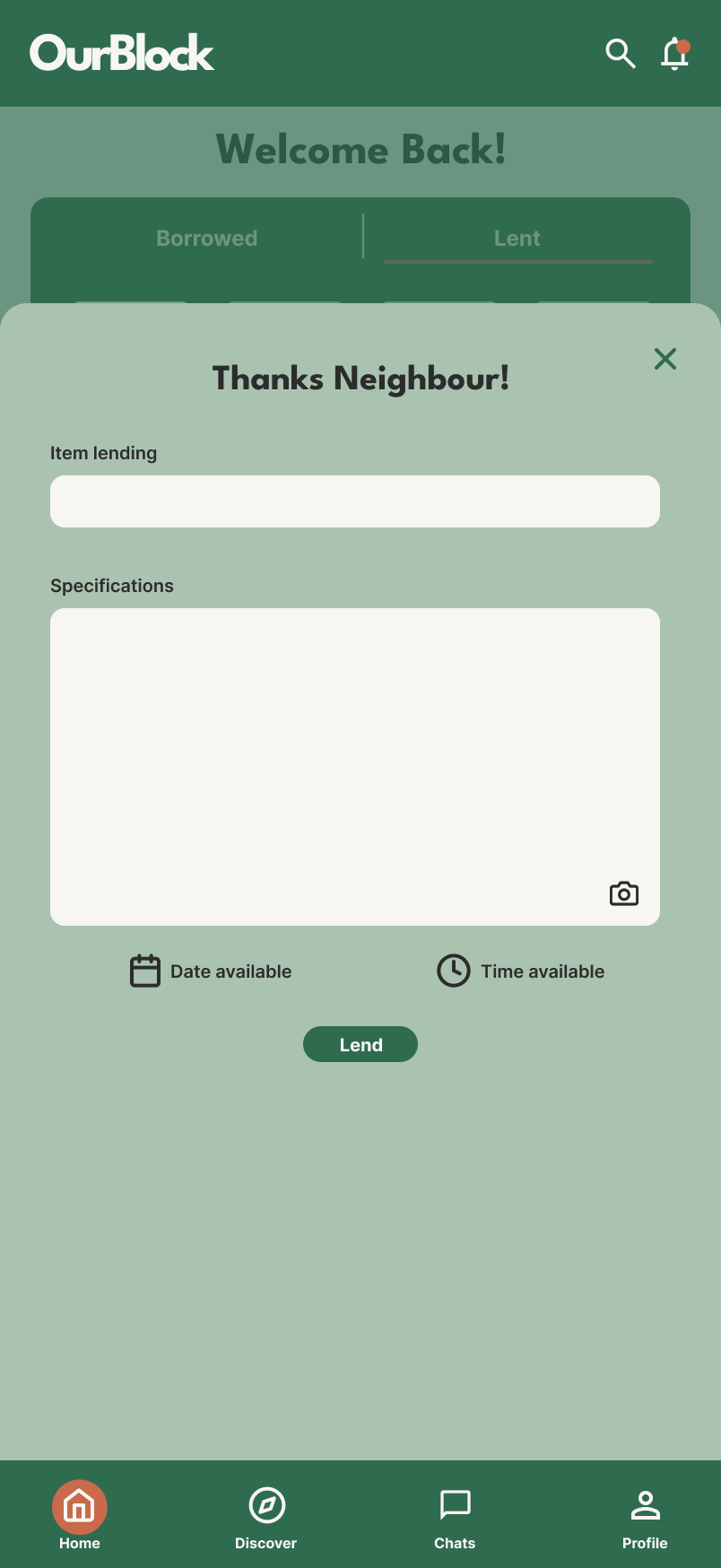
Lend button on the neighbour post and a lend screen specifing the name, pictures and specifications of the item as well as setting date and time available for pickup.
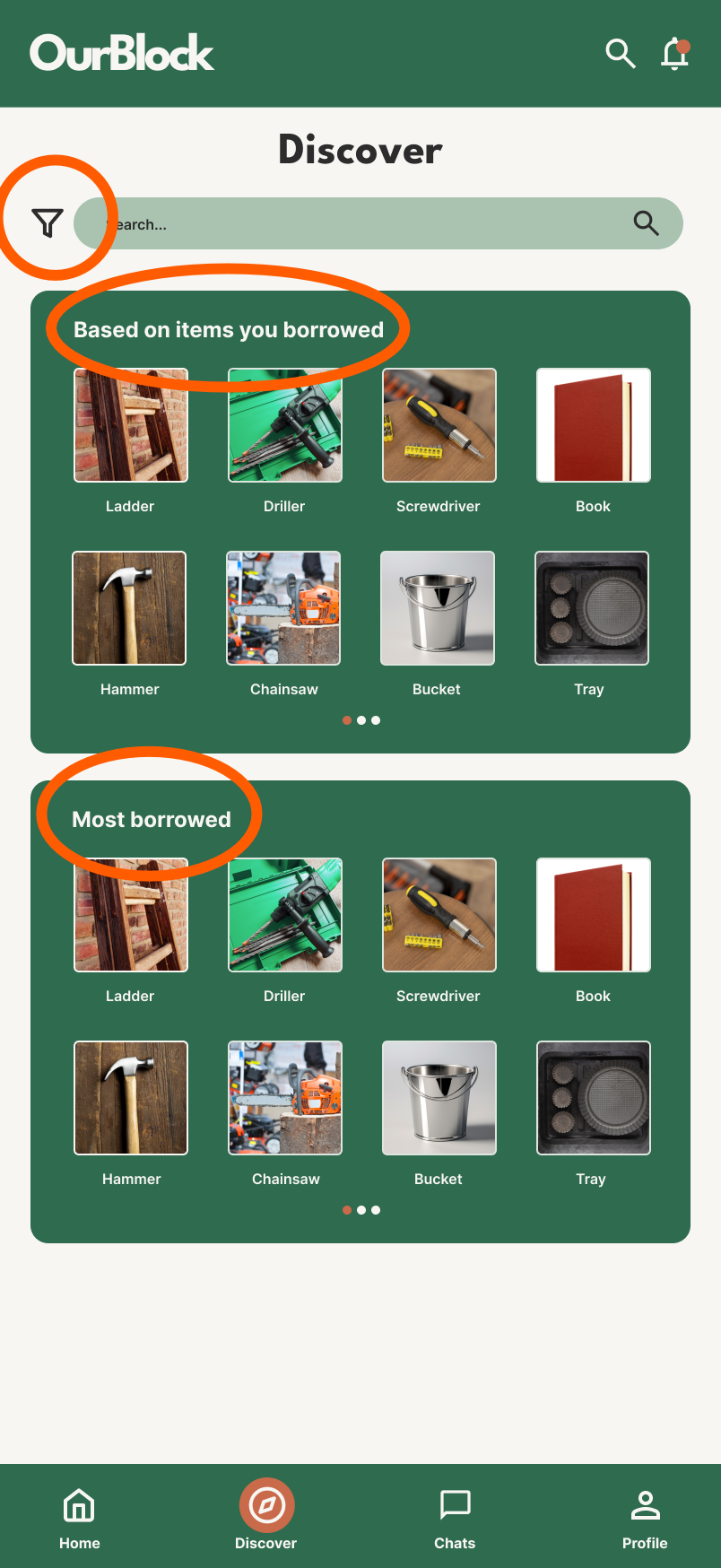
Functions
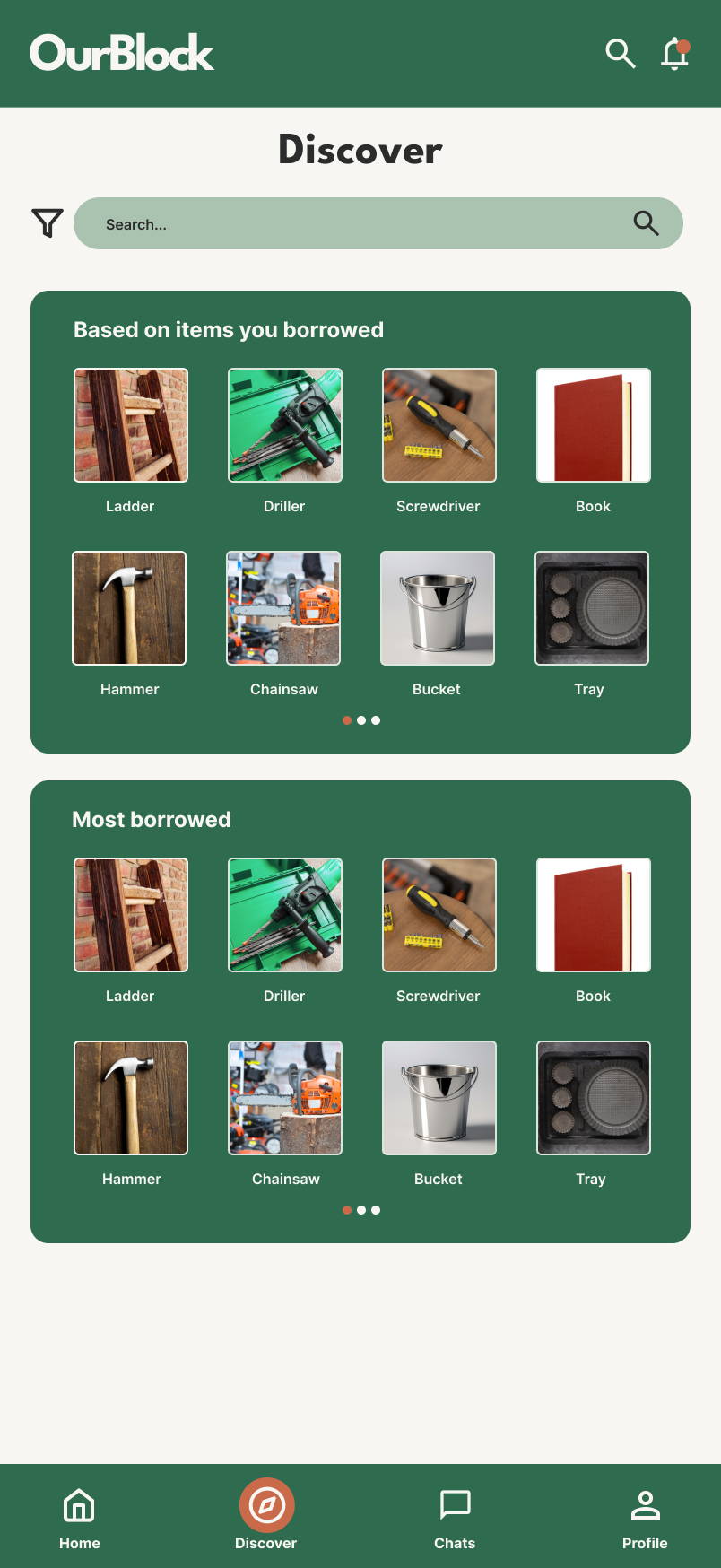
Filter function enabling users to search by item categories to ease the search by picture.
Sections of recomended item based on the past borrowed items by the users and one based on the most borrowed items by users in general.
Functions
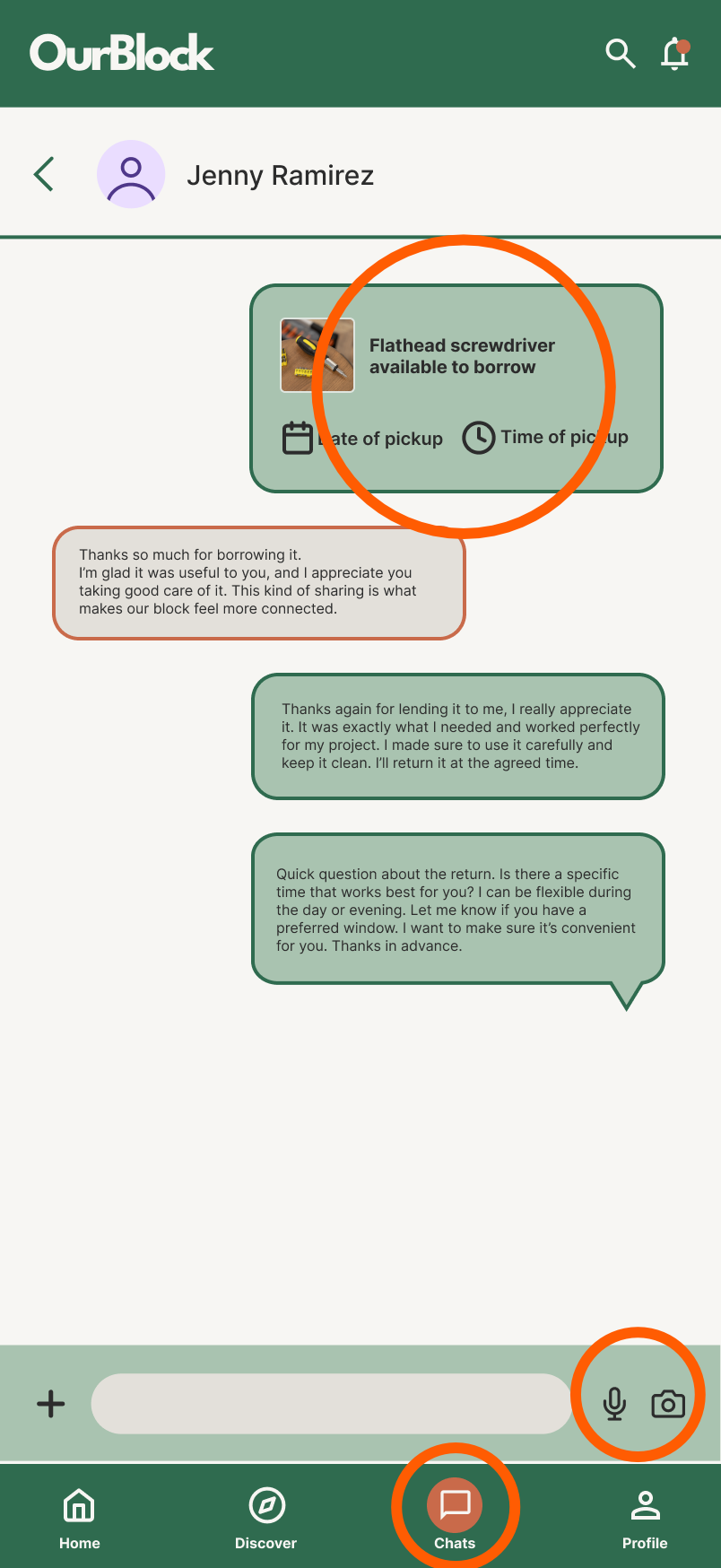
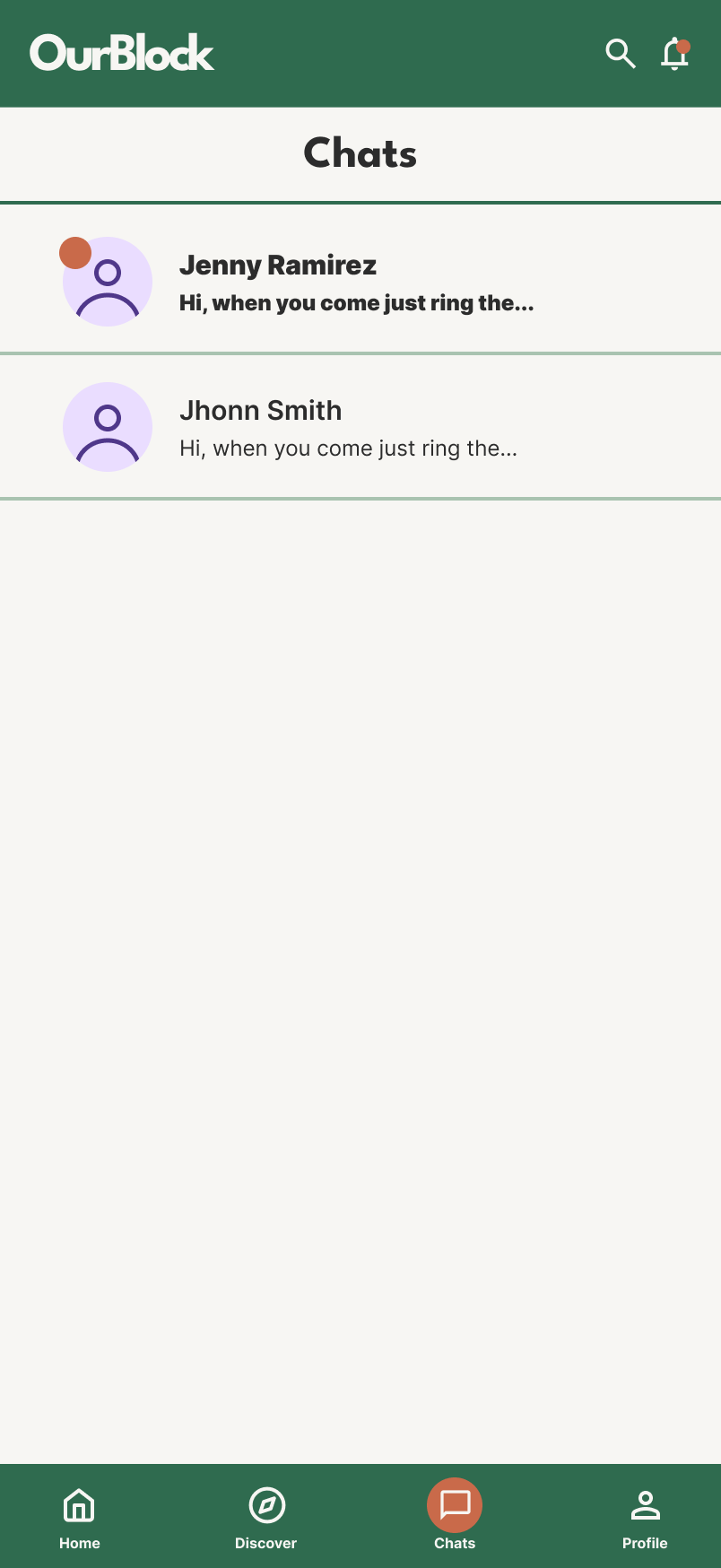
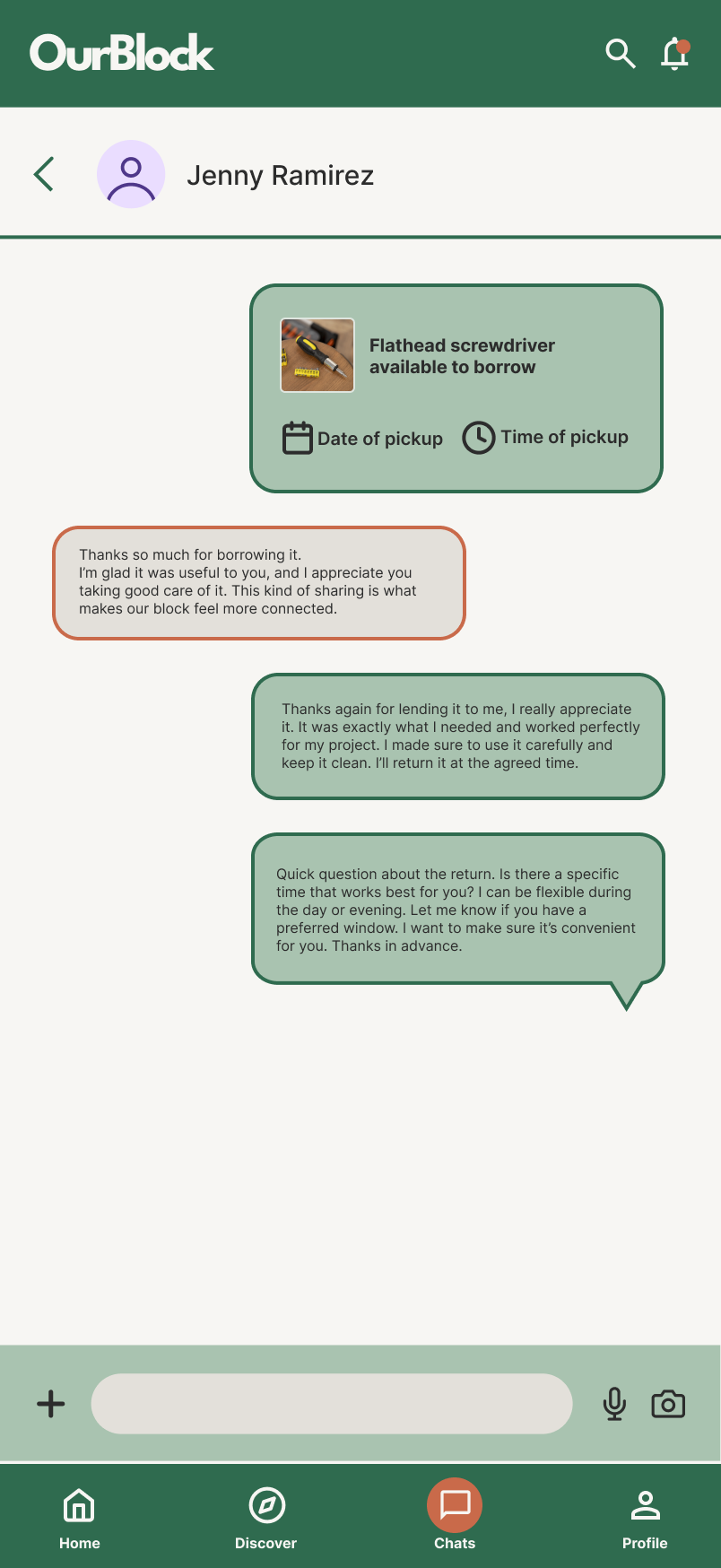
Chat opened when an item is borrowed sending an utomatic message with the date and time for pickup.
A send audio and image option to allaw easier communication and consultation.
Easy access to chat function.
Final screens
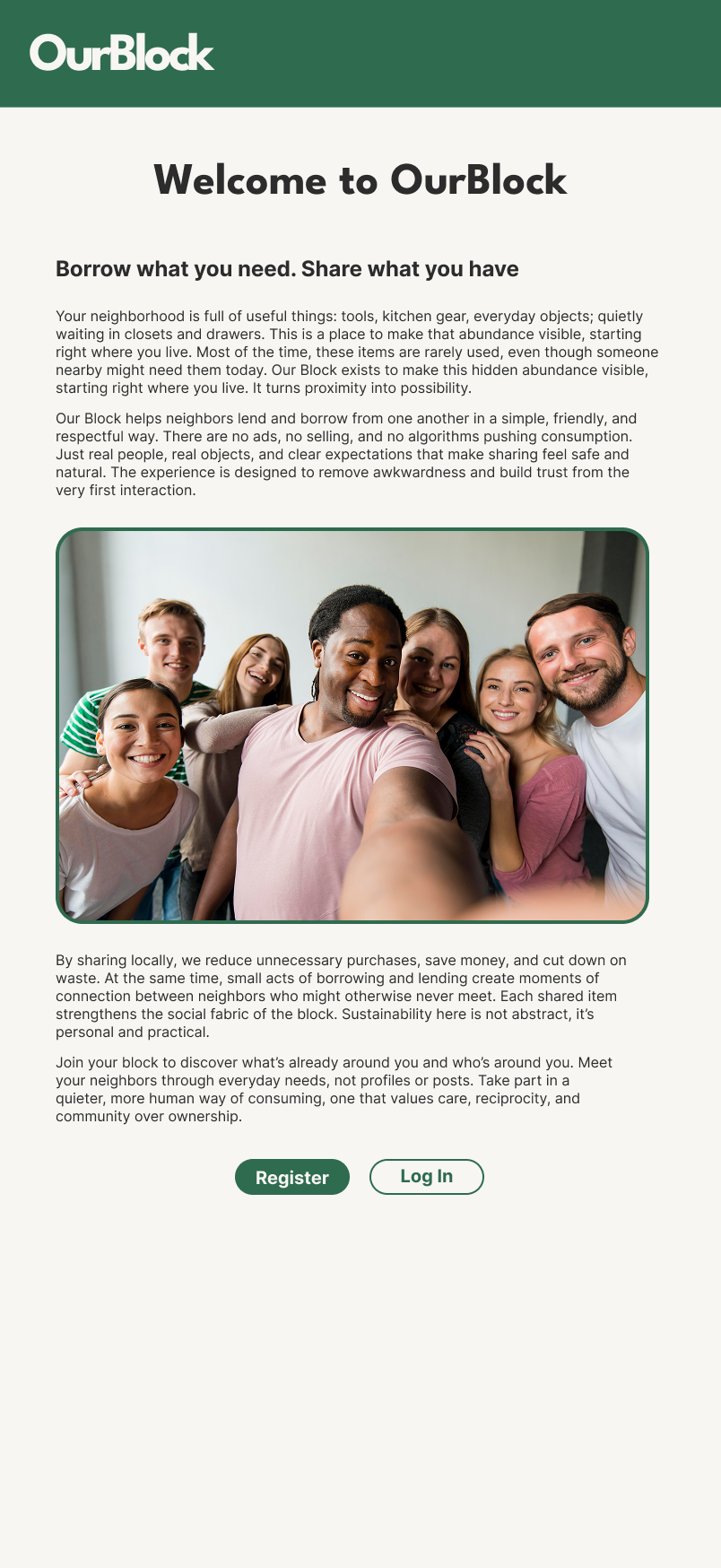
Welcome
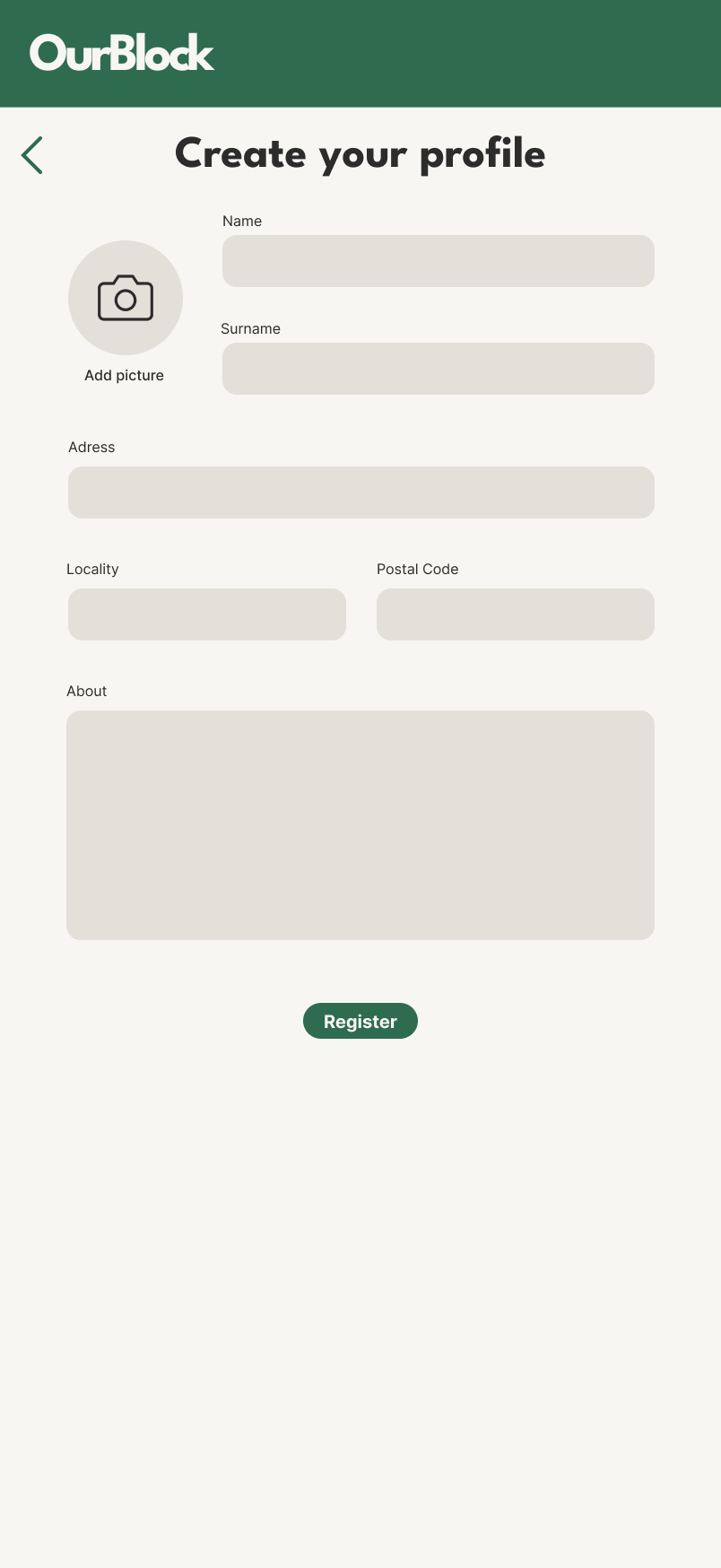
Register
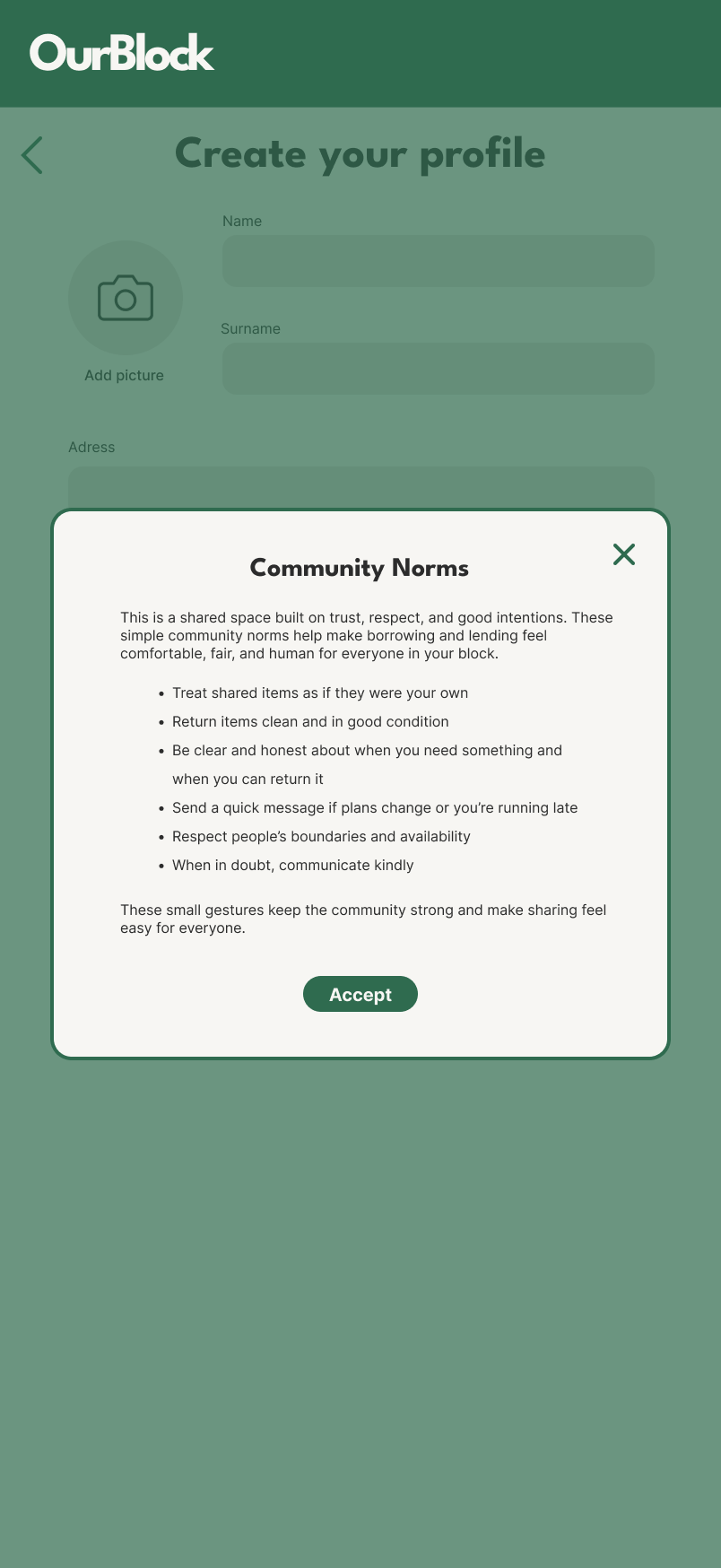
Community norms
Home
Lend
Discover
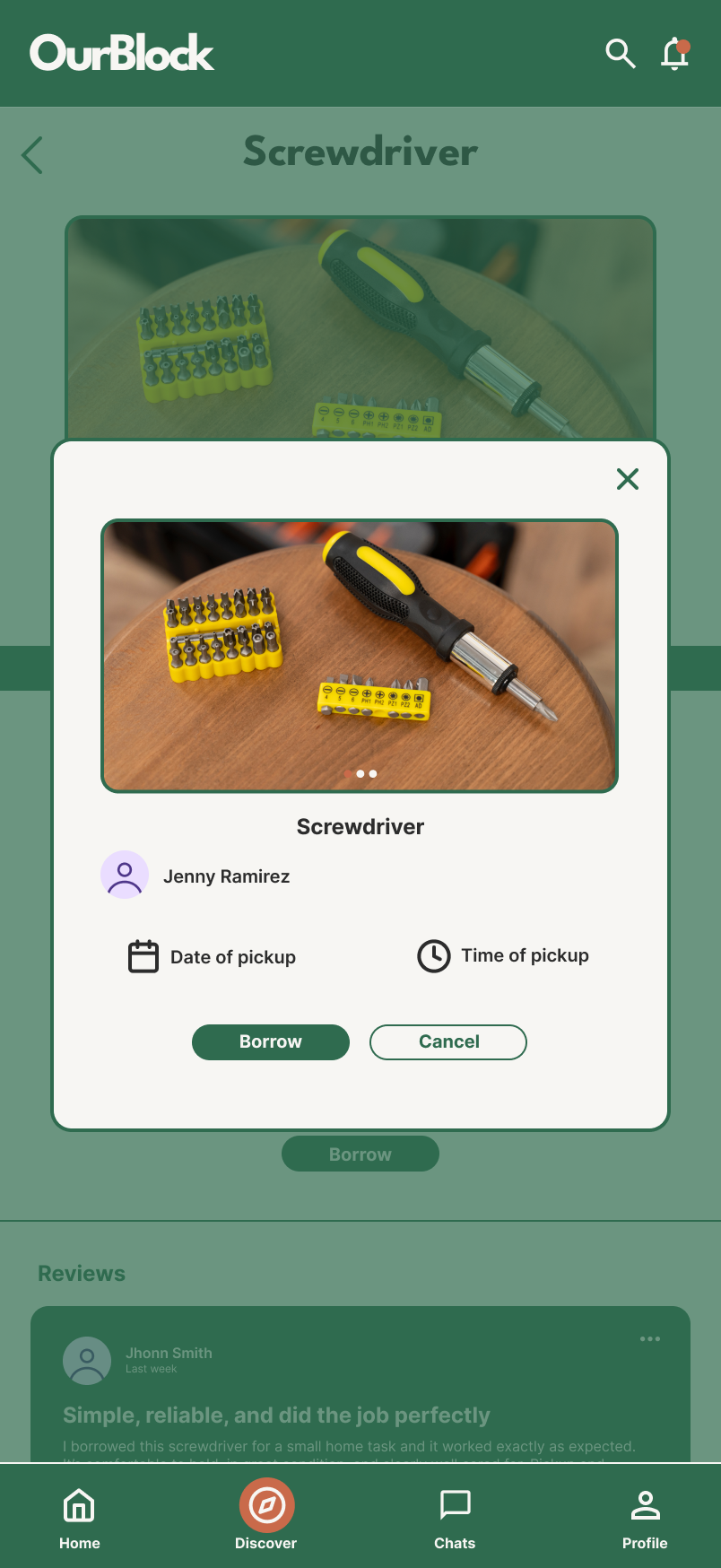
Product
Borrow
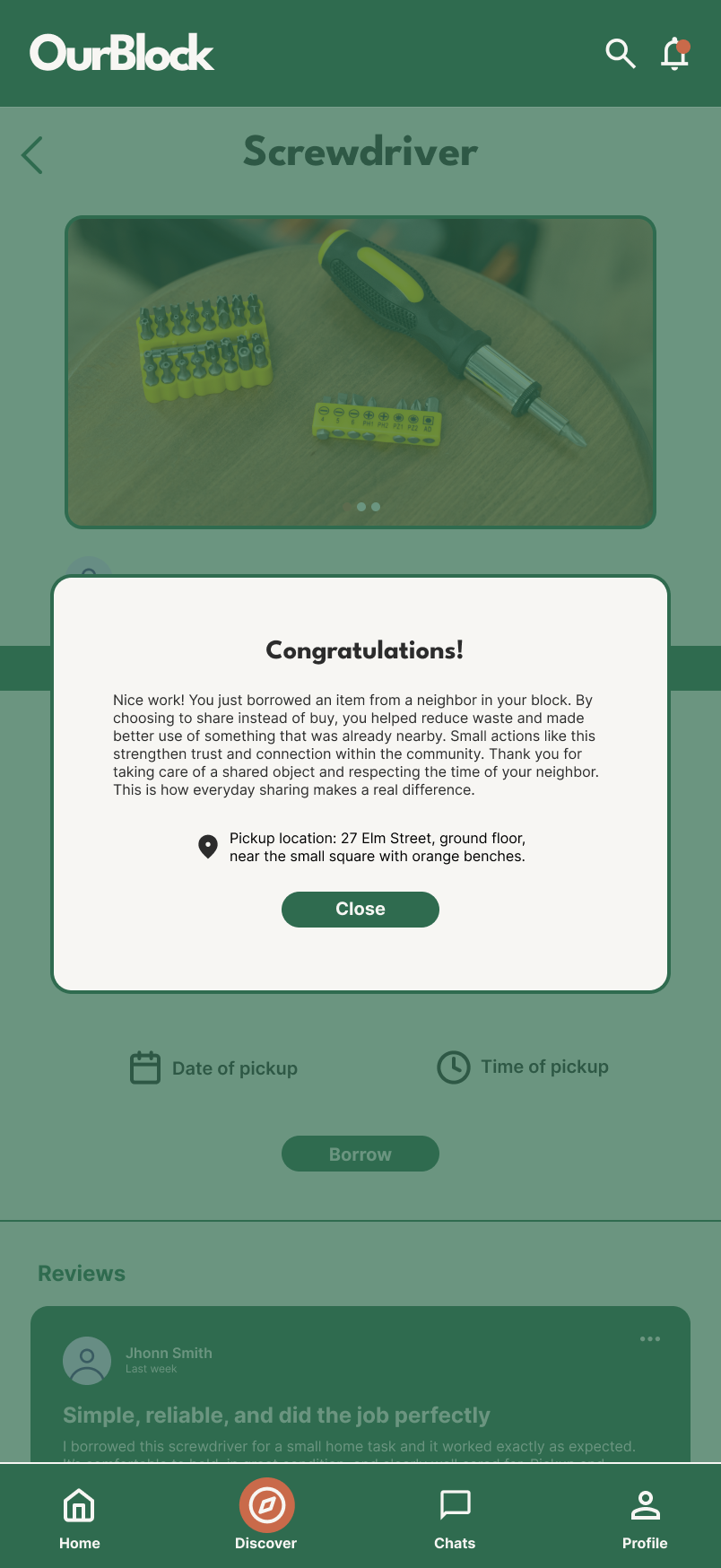
Congratulations
Chats
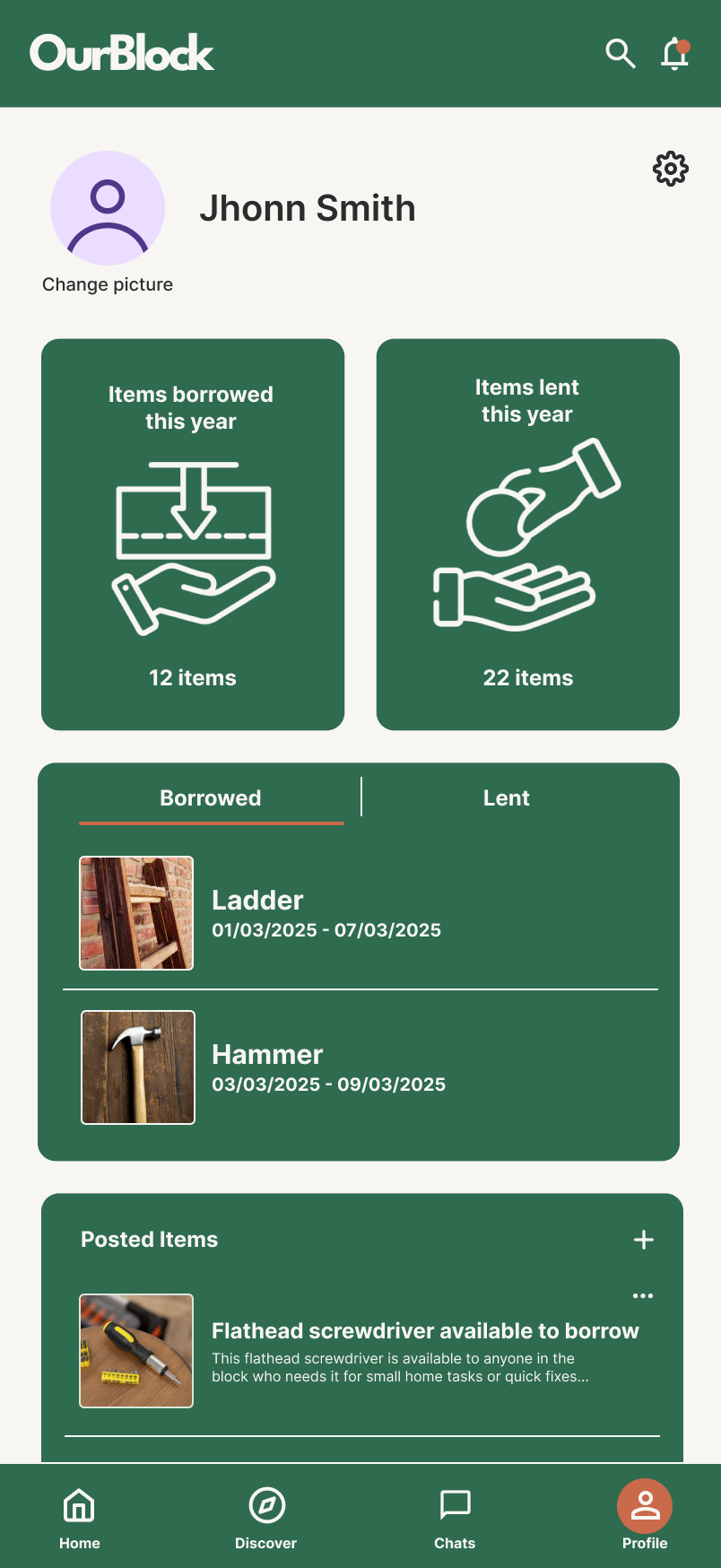
Profile
Private chat
Accesibility considerations
All text and interactive elements meet WCAG contrast guidelines. The app supports system text scaling, ensuring content remains readable for users with low vision without breaking layouts.
Community interactions use plain language, short sentences, and friendly microcopy to reduce cognitive load. Icons are always paired with text labels so meaning is never conveyed by visuals alone.
All core actions (borrowing, messaging, confirming returns) are reachable without relying on complex gestures. Touch targets are large enough for motor accessibility, and critical actions are accessible via buttons rather than swipe-only interactions.
Impact
Our Block helped turn everyday objects into shared community resources. By making borrowing visible and socially comfortable, the app reduced unnecessary purchases while encouraging trust and cooperation at a neighborhood scale. Small, repeated acts of sharing strengthened local relationships and helped neighbors see one another as collaborators rather than strangers.
Next steps
Next step would be to support block level facilitation, giving communities lightweight tools to organize sharing moments such as monthly “Share Days” or welcome flows for new neighbors. This would help maintain momentum and prevent the system from becoming passive over time.
Another future direction would be to deepen the impact layer, allowing communities to visualize long-term trends like collective savings, reduced waste, or participation growth. These insights could strengthen motivation while remaining aligned with the app’s non-commercial, community-first values.